
From Phone Queue to Scheduled Doors: How Dock Appointment Scheduling Works
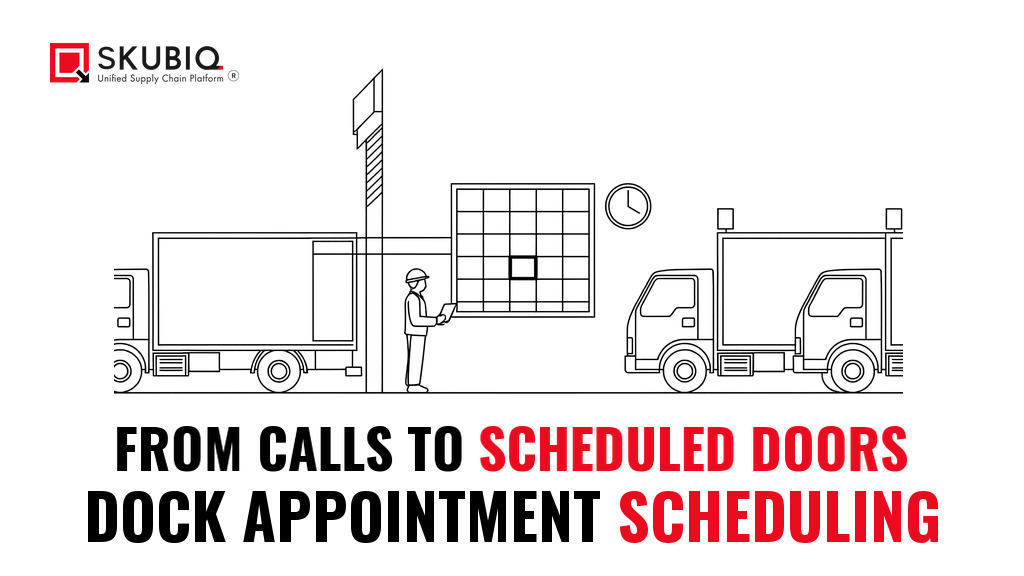
At eight in the morning, three trucks arrive within fifteen minutes of each other. Two of them carry mixed CPG pallets that need cross-docking before the day shift ends. One carries a single pallet of automotive components that the line is waiting for. The dock team has four people on the receiving doors. For the next two hours the dock is loud, one door is blocked, and the fifth receiving hand is nowhere to be found. Then, from eleven until two, nothing arrives at all, and two of the crew stand idle beside an empty door.
Nothing about that day was caused by bad drivers or bad freight. It was caused by an unplanned arrival pattern - and unplanned arrivals are the default when inbound trucks are booked by phone call, by email and by whatever a driver can talk his way into on the gate. The fix is not a better gate, more doors or a harder procurement team. It is a schedule that everybody works from: in other words, dock appointment scheduling.
This guide covers what the practice actually is, what an unplanned arrival costs in hard numbers, the seven steps that make it work in practice, and how the appointment, the door, the crew and the receipt are held together in one chain of records. It is written for Indian manufacturers, distributors and third-party logistics operators running inbound receiving every single day - and for the SKUBIQ Transport Management System and SKUBIQ Warehouse Management System teams who book those slots.
What dock appointment scheduling actually is
Dock appointment scheduling is the practice of giving each carrier a specific arrival window at a named dock door, sized to how many trucks the doors and the receiving crew can actually serve at that hour. As one vendor of the category puts it plainly, the process exists "to decide when each carrier arrives at your docks", and booking it by phone and email does not scale.
That is the whole idea in one line: a slot is a promise about a arrival time, a door and a piece of work, not just a date on a shared calendar. It is also the distinction that matters most, because dock scheduling is regularly confused with two other things.
- It is not a gate pass. A gate pass says a truck may enter the site. A dock appointment says the truck will be unloaded at door four between 10:15 and 10:45, with two receivers and a pallet jack ready.
- It is not yard management. Yard management is about what is happening in the trailer park - where a trailer is standing, how long it has been there, when it moves. Dock scheduling is about the door and the work at it. Vendors that sell both treat them as separate products for a reason, and the second 50 kilometres of a journey happen at the door.
One more distinction matters commercially. Dock scheduling is a promise to the carrier, but it is an operating decision internally. Every slot you publish is a commitment of crew, equipment and door time - which is why the practice works when it is built on real capacity, and fails when it is built on optimism.
What an unplanned arrival actually costs
It is easy to treat the queue at the gate as an irritation. The data from the 2024 detention study by the American Transportation Research Institute - the figure most often quoted in the United States - suggests it is closer to a balance-sheet item.
- Detention occurs on nearly 40% of all stops, and on 56% of refrigerated loads.
- That adds up to 135 million hours of detention a year in the for-hire trucking industry.
- The impact on top-line revenue - mainly the revenue lost from the truck not being able to move freight - is $11.5 billion, while direct expenses such as fuel, salary, insurance and truck payments total $3.6 billion annually.
- Detention fees are paid out by the shipper in less than half of all incidents, and even when they are paid out they do not cover the full expense.
Two things follow from those numbers. The first is that the cost of waiting lands on both sides of the wall: the carrier carries the hours, the shipper carries the congestion. The second is that a facility which reliably unloads on time has a genuine commercial advantage in a tight freight market - carriers prefer sites they can plan a route around, and they say so.
Carriers prefer facilities that offer predictable schedules, and in competitive freight markets, that preference is a real advantage when capacity gets tight.
The warehouse dock scheduling view of the problem is the same one from the receiving side: docks are among the most critical control points in the supply chain, and poor coordination there leads to congestion, delays and rising costs even in well-run facilities.
None of this means every minute over a threshold is a bill waiting to happen. It means the cost of an unplanned arrival is not zero, and it is not evenly spread - which is exactly what a booking system fixes.
Why phone calls and spreadsheets break down
Almost every operation has already tried booking arrivals by phone and email, and most have already decided it does not work. The failure is rarely the tool. It is the change management, as one implementation guide puts it: "getting every carrier, broker, and vendor in your network to abandon a decade of 'just call Linda' behavior and trust a system instead."
What actually breaks, in order:
- The schedule is only as good as the data behind it. Door count, what each door can handle, realistic slot lengths, buffer rules and operating hours all have to be configured before a single carrier sees a booking page. A system built on a spreadsheet of wishful thinking just automates the wishful thinking.
- The arrivals cluster anyway. When slots are published but not enforced, carriers take the same popular window and the dock still sees a spike - followed by an idle stretch.
- The labour never matches. Receiving teams react to whatever arrives, so labour utilisation is poor, overtime rises and the dock doors that could have been used sit empty.
- Nobody can tell a delay from a no-show. Without a check-in record and timestamps, an appointment that quietly died at 09:00 is discovered at 11:00 - and the carrier is chased for a truck that already came and went.
That last point is why appointment data has to live in the same system as the rest of the operation. Appointment data that does not sync with the WMS, TMS and ERP delivers very little; one vendor of the category is blunt about it, promising "no duplicate data entry, no siloed information, no gap between what's booked and what's actually happening at the dock".
Step 1: know your real dock capacity
The four numbers that define your capacity
Before any software, you need a number you can defend. The advice from the implementation guides is to configure real operating capacity rather than the theoretical maximum, because the gap between the two is where the chaos is created. As one implementation guide puts it, the system "is only as good as the data it is built on" - your dock doors and what each one can handle, appointment types with realistic slot lengths, buffer rules and operating hours, all of which have to be configured before a single carrier sees a booking page. That means answering four questions:
- How many dock doors do you actually operate, and which are dedicated to inbound, to outbound, or flexible?
- What is the realistic unload and inspection time per appointment type? A flatbed of steel coils does not take the same time as a box truck of palletised consumer goods - in the example given in the guides, three times as long.
- What buffer time do you need between appointments so one long unload does not cascade into the next?
- When do labour, not doors, become the binding constraint? For most sites that is the night shift, and for shift-based operations it is the changeover itself, when the context about pending arrivals leaves with the day shift.
One week of manual data collection on current dock activity is the usual recommendation from the dock scheduling setup guides before finalising those parameters - and the reason to do it before writing any rules is that the numbers almost always disagree with the plan. If every appointment is given 30 minutes because 30 minutes looks tidy on a screen, the schedule is fiction before the first truck checks in, and a 3PL operation should be sizing slots from actual unload and receiving history, with recovery capacity reserved for late arrivals and exceptions.
Step 2: choose the slot structure that matches the work
Slot structure is a decision, not a default. Three structures cover almost every inbound operation, and each one costs you something different.
| Structure | How it works | Strength | Cost |
|---|---|---|---|
| Fixed duration | Every appointment gets the same window, whatever the load | Simple to publish and easy for a carrier to understand | Wrong length for both the fast and the slow load |
| Variable duration by load type | Duration is calculated from freight type, pallet count or load size, or chosen by the carrier at booking | Operationally accurate and the best fit for labour planning | Needs accurate load data at booking, which is a friction point with carriers |
| Requested window, warehouse assigns | The carrier asks for a window; your team assigns the slot inside it | Most flexible for carriers | Adds a manual step to every booking |
For a mixed inbound profile - which is the normal case in Indian FMCG, auto components and 3PL work - variable duration by load type is usually the right starting point, with the fixed structure kept for the small, predictable lanes. Whichever you choose, the rule that follows from it matters more than the structure itself: the door, the labour and the staging area are finite resources, not just dates on a shared calendar - and a slot that ignores that is a promise you cannot keep.

Step 3: demand a standard appointment request
The appointment record is the raw material of the whole practice. If it is thin, everything downstream is guesswork. The guidance for a workable request is explicit - do not confirm a slot from an email that says "Truck coming Thursday". A standard request should carry:
- the ship-from location, and the carrier with a driver or dispatcher contact;
- PO numbers and the ASN;
- pallet or carton count, and total weight;
- equipment type, and whether the tractor will remain;
- the requested window, and any special handling.
Two rules make that list work in practice. The first is that the appointment record shares identifiers with the TMS and the WMS, so the booking, the load and the receipt are the same object in three places rather than three separate documents that have to be matched by hand. The second is that automation rejects or holds requests that have missing required fields, duplicate appointments, closed POs or quantities outside tolerance - and escalates the ones that need a human: hazardous materials, temperature-sensitive goods, oversized pieces, live unloads that threaten production, or any request that would overbook labour.
This is where a warehouse system starts to earn its place. The SKUBIQ Transport Management System holds the appointment; SKUBIQ's WMS already handles the receiving side of this chain - it can "produce PO, invoice, and ASN-based receipts" and create "dispatch dock assignments and delivery" - so an appointment that arrives with a PO and an ASN lands on a receipt the system can already match. The SKUBIQ SaaS WMS for India page puts it plainly: inbound is where automation pays for itself, because "purchase order generation, invoicing, and ASN-based receipts" are exactly the steps that used to be retyped by hand.
Step 4: make the gate digital and the arrival visible
A booking only becomes true when the truck arrives against it. That is the job of the gate: check the driver and the load in against the booking, mark the truck as arrived, and tell the dock team that it is there. Done on paper, this is a clipboard and a radio. Done digitally, it is a check-in that creates a timestamp.
The benefits vendors sell here are unglamorous and real. A live view of dock availability "reducing traffic congestion and driver wait times" - the capability a dock scheduling platform such as FreightPOP describes as a real-time dashboard - is what lets the receiving team decide to pull the next pallet forward instead of leaving a door idle. And once check-in is digital, the appointment stops being a promise and becomes a measurement - which is the only way to tell a late load from a late booking.
One practical warning from the implementation guides: the appointment should move through readiness gates before the driver starts the clock. Twenty-four hours before arrival, confirm that the PO is open, that the ASN matches the planned freight, that the door and the equipment are available, and that staging space exists. An appointment that is not ready is not a booking - it is a queue you have scheduled in advance.
Step 5: match the door, the equipment and the work
Once the truck is on site, the appointment has to be turned into an instruction: this door, this equipment, this crew, this work. That is the second half of dock scheduling, and it is the half that most hand-rolled systems skip.
Assign the door on the work, not on arrival order
The rule is that a dock door is assigned on the basis of shipment type, carrier and availability - the logic Goramp describes when its time slot management assigns each dock door by shipment type, carrier and availability - not on who arrived first. A temperature-controlled load goes to the door that can take it; a cross-dock load goes to the door nearest the outbound staging; a full trailer that will not be broken down goes to the door that can take a full unload. Where the slot is allocated automatically from dock capacity and equipment availability, the schedule keeps working even when the day does not.
Equipment and labour are part of the same decision. If the appointment type implies a particular set of tools, an experienced operator or a piece of equipment such as a pallet jack, dock lock or chocking point, that has to be true at the time of the slot - not discovered at the door. A booking system that publishes a slot without checking the equipment is a booking system that will break on its busiest day.

Step 6: book the labour against the appointment
Here is where dock appointment scheduling stops being a transport problem and becomes a labour problem. If the dock team is rostered by wave, and the appointments are not, then the schedule you publish is not the schedule you staff - and the gap shows up as overtime on one shift and idle hands on the next.
The fix is to treat the booked arrivals as the workload input for rostering. Concretely: convert the day's appointments into receiving hours by load type, roster the people with the right skills against those hours, and hold a named reserve for the late and the unexpected. That is the same idea that labour planning brings to picking, applied at the door instead of the aisle.
SKUBIQ-LMS is built around that idea - "demand-driven shift planning and skill-based rosters aligned to workload, peak windows and compliance rules" - and it keeps third-party labour in the same ledger as your own, with "third-party labor rosters, rate cards, timesheets and vendor settlement managed in one ledger". The same discipline applies to the plan the dock team works from, which is why the roster is drawn from the same SKUBIQ WMS activity data as the receipts. For an operation that books carriers, the equivalent move at the dock is to keep agency receivers and permanent receivers on the same rules, because the labour that unloads the truck is the labour the appointment was promised against. The SKUBIQ Labor Management System covers roster structure, and the SKUBIQ FAQs set out how the modules are deployed.
Step 7: close the loop back to the receipt and the scorecard
The last step is the one that turns a booking exercise into a managed process: close the records and score the outcome. When the truck is unloaded, the actual times - arrived, started, finished, released - have to be written back, and receiving status has to be pushed back to the TMS, the WMS and the carrier scorecard.
This is where the next round of booking gets better. Door productivity, truck turnaround time and carrier punctuality are all measurable, and once they are measured they can be managed: which carrier is late most often, which door overruns, which appointment type is consistently under-quoted. SKUBIQ-TMS carries the scorecard side of this - Vendor Compliance is described as "supplier performance scorecards for OTIF, damage rate and documentation accuracy" - and Inbound Appointment does the booking half: "vendor dock slots scheduled and enforced, turning congested yards into planned flow".
The discipline to insist on is simple, and it is the one that separates a schedule that works from a schedule that is merely published: if the timestamps are not recorded, the schedule cannot be managed, no matter which vendor is in use.

Why this matters more in India
The economics of Indian logistics have changed shape, and the change moves the dock further up the priority list. The Department for Promotion of Industry and Internal Trade, with the National Council of Applied Economic Research, has placed India's logistics cost at 7.97% of GDP and 9.09% of non-services output for 2023-24 - an estimated Rs 24.01 lakh crore in absolute terms. The same study notes that smaller firms face significantly higher logistics costs than large ones, which affects their ability to scale and compete.
There is a detail in that study worth sitting with: for journeys of around 600 kilometres, improving the first and last 50 kilometres can significantly lower the total logistics cost. Roughly one-sixth of the road is the ends of the journey, and the last 50 kilometres of an inbound delivery is not a road at all - it is a gate, a queue and a dock.
That is the strongest argument for dock appointment scheduling in this market. The gains are not marginal tidiness at the receiving door; they sit inside the one part of the journey where Indian logistics cost is structurally hardest to move, and where a customer-facing service - the delivery window promised to a retailer, a distributor or a dealer - is decided by something a warehouse can actually control.
A 90-day plan
If you are starting from a spreadsheet and a phone, this is a sequence that works and does not require a software purchase on day one.
- Days 1-15: measure. One week of manual data collection on every arrival - actual arrival time, door, unload duration, crew on the door. You are looking for the variance, not the average, because the variance is the queue.
- Days 16-30: write the rules. Real door count, slot durations by appointment type, buffer time, operating hours, and the three to five appointment types that cover 80% of your inbound. Publish a capacity number you can defend.
- Days 31-45: set the request standard. The mandatory fields, the identifiers that must match the PO and the ASN, the rules for holds and rejections, and the readiness check 24 hours out.
- Days 46-60: pilot with the honest carriers. Two or three carriers who turn up on time. Give them the portal, and let the rest phone - the point of the pilot is to learn the exceptions, not to convert the whole network at once.
- Days 61-75: instrument the scorecard. Arrival-to-unload time, door overruns, punctuality by carrier, and the detention exposure you avoided.
- Days 76-90: extend and enforce. Add the remaining carriers, enforce the rules, and let the published schedule carry the exceptions. At this point, if the slot is published, the labour is rostered against it and the timestamps are recorded, the appointment has become the plan - and the plan is what makes the queue disappear.
What to look for in a dock appointment system
Six questions the shortlist has to answer
Whatever you evaluate - a platform, a module inside your TMS, or a build of your own - the shortlist should be able to answer six questions without a demo script:
- Can it publish only the slots my doors and crew can actually serve, and refuse the rest?
- Does it size slots by load type, and can I see the assumptions?
- Does the appointment carry the PO and ASN identifiers straight through to the receipt?
- Does check-in create a real timestamp, and does the actual finish time go back into the plan?
- Does it hold requests that would overbook labour, and escalate the ones a human should decide?
- Does it measure the outcome - turnaround, punctuality, detention exposure - or does it only show a calendar?
For teams who want the whole chain rather than a calendar, the pieces are already assembled in the SKUBIQ suite: SKUBIQ-TMS for the appointment, the door and the carrier scorecard; SKUBIQ-WMS for the receipt, the ASN match and the put-away; SKUBIQ-LMS for the crew on the door. The SKUBIQ WMS pricing page lists the modules and what is included, the SKUBIQ support page covers onboarding and rollout, and the SKUBIQ contact page is where a conversation about a dock scheduling rollout starts.
Key takeaways
- Dock appointment scheduling is not a gate pass and not yard management - it is a promise about an arrival time, a door and a piece of work.
- Detention lands on nearly 40% of stops and 135 million hours a year; the shipper pays less than half of the invoices and still does not cover the cost.
- Build the schedule on real capacity and real unload history, and publish only the slots the doors and the crew can serve.
- One standard appointment request, with the PO and ASN identifiers attached, is what makes the rest of the chain automatic.
- Book the labour against the booked arrivals, and write the actual timestamps back - a schedule that is not measured cannot be managed.
- In India, the first and last 50 kilometres are where logistics cost is hardest to move, and the dock is the end of the last one.