
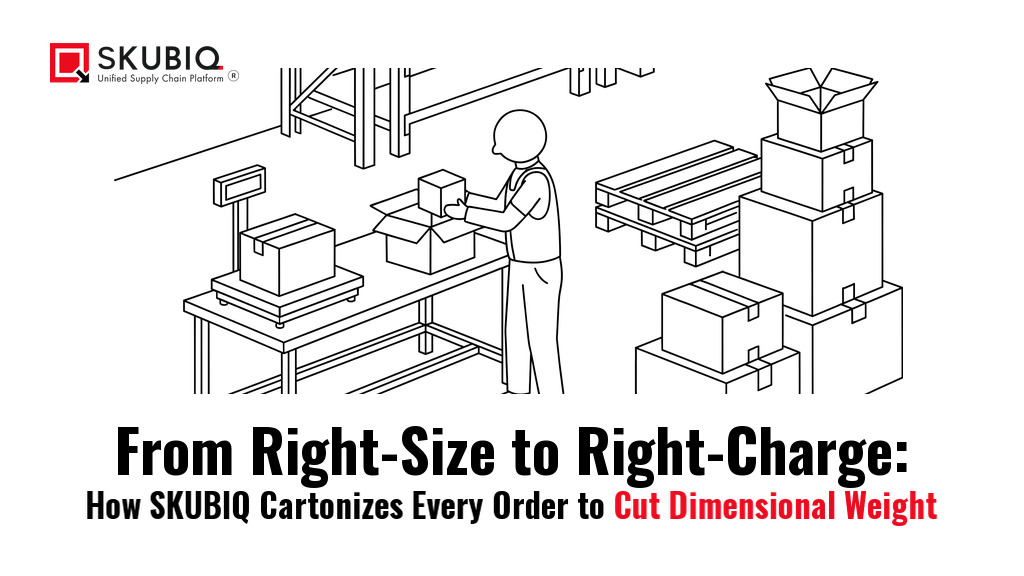
From Right-Size to Right-Charge: How SKUBIQ Cartonizes Every Order to Cut Dimensional Weight
The box is a pricing decision, not a packing decision
Nothing about a typical order changes between the pick face and the pack station. The customer ordered the same three items. The picker walked the same aisle. The invoice says the same amount. And yet the freight bill can move by a wide margin on the strength of one decision: which carton the order goes into.
Carriers do not bill what a parcel weighs. They bill the greater of actual weight and dimensional weight, and dimensional weight is computed purely from the outside of the box. Air around a product is charged at the same rate as the product itself.
The order stays the same; only the box changes.
Fulfil.com, Cartonization Software: How It Works and How to Choose, 1 November 2026
For a 3PL running a mixed parcel and LTL book, this is not a packaging preference. It is a margin line. It is also the one decision on the outbound floor that most warehouses still leave to the packer's judgement, made at speed, with no feedback loop. This guide is about taking that decision back. It covers what cartonization actually owns, how a box becomes a bill, what data it depends on, how to design the carton library and the rules that make it stick, and how SKUBIQ-WMS, SKUBIQ-LMS and SKUBIQ-TMS each carry a part of it.
What cartonization actually owns
Cartonization is the process of choosing the right box for an order, and how the items are arranged inside it, before anyone opens a tape gun. It is not packaging design, and it is not void-fill procurement. It is a rule set that answers one question at speed: of the cartons this facility stocks, which is the smallest one that safely holds this order?
The WareMatch encyclopedia describes it as determining the optimal box size and packing configuration for a given set of order items before the physical packing process begins, and makes the sharpest point in this area: for a multi-item order the system has to solve a three-dimensional bin-packing problem, work out which orientation of each item wastes the least space, and still respect the rules that forbid certain items from sharing a carton. Positioned as a WMS module rather than a standalone tool, DV Unified frames the same capability as removing manual box selection and item arrangement, and names what the engine weighs: item details, packing rules, carton selection, carrier limits and real-time inventory.
That last item - carrier limits - is where cartonization stops being a packing feature and becomes a commercial one. A carton engine that knows only box dimensions will always pick the smallest box that fits. An engine that also knows the rate card can weigh a slightly larger box against a lower bill, a shorter journey to a surcharge threshold, or a cheaper carrier service.
The four inputs a cartonization engine works from
The Fulfil.com buyer guide reduces the whole discipline to four kinds of input. It is a useful checklist, because each one fails in a different way.
| Input | What it decides | Where it comes from | What goes wrong without it |
|---|---|---|---|
| Items | Whether the order fits a carton, and whether the carton will be billed on its size | Item master: length, width, height, weight | Wrong dimensions produce a carton that is either too small at the bench or far too large on the bill |
| Boxes | Which cartons are even eligible | The carton library: internal dimensions, maximum weight, cost | Too few sizes, so the nearest bigger box is used and billed |
| Rules | Orientation, ship-alone, fragile, incompatible goods | A maintained rule set per customer and per product family | Two items that fit mathematically are packed together and arrive damaged |
| Goals and rates | Smallest box, fewest boxes, or lowest cost | The cartonization profile and the carrier rate card | The system optimises for the wrong thing and the saving never arrives |
Note the order of that list. Items come first for a reason. A cartonization engine cannot be smarter than the data underneath it, and no configuration screen fixes an item master that was never built properly.
How a carrier turns a box into a bill
The arithmetic is simple and deliberately public. Dimensional weight in pounds is the length times the width times the height in inches, divided by a divisor. The CubiScan guide states the formula directly and notes that FedEx published guidance uses a divisor of 139 for inches-based dimensional weight, while USPS applies dimensional-weight pricing to packages larger than one cubic foot, or 1,728 cubic inches, using a divisor of 166.

The rounding rules matter as much as the divisor, because they decide whether a few centimetres of extra cardboard cross a price step. The Fulfil.com guide reports that FedEx rounds any fraction of an inch up, bills the greater of actual and dimensional weight, and rounds any fraction of a pound up to the next pound. The same source reports that the USPS Priority Mail and Ground Advantage rules for boxes above one cubic foot divide the cubic inches by 139, and that UPS's daily rates guide also divides by 139.
| Carrier and service | Divisor cited | Where the charge applies | Rounding reported |
|---|---|---|---|
| FedEx, customer packaging | 139 | All shipments in customer packaging | Fraction of an inch rounds up; billable weight rounds up to the next pound |
| UPS | 139 | Standard daily rates; the divisor can vary by rate type | Fraction of an inch rounds up |
| USPS Priority Mail and Ground Advantage | 139 | Boxes over one cubic foot (1,728 cubic inches) | Billable weight rounds up to the next pound |
| USPS Priority Mail | 166 | Packages over one cubic foot (1,728 cubic inches) | Not stated in the source |
Read the divisor from your own rate card
Look closely at that table and you will notice that two of the sources we checked give different divisors for USPS Priority Mail - 139 in one, 166 in the other. That disagreement is not a problem to hide. It is the practical lesson: the divisor is a published number that changes with the carrier, the service, the rate type and the date, and the only number that matters is the one on your own rate card. Read it, write it into your cartonization profile, and re-check it when the carrier publishes new rates.
The wider point is that the dimensional-weight calculation is not a secret and not negotiable. What a warehouse controls is the input: the three numbers on the box.
The item master is the whole game
WareMatch is blunt about the prerequisite: accurate item master data, meaning precise length, width, height and weight for every SKU in the catalogue, plus the full carton library with internal dimensions, plus the packing rules. If item dimensions are inaccurate or missing, the recommendation will be wrong. No rule engine repairs that.
Most savings come from right-sizing packaging, reducing void fill, using better packing rules, and improving dimension accuracy so the "planned carton" matches the "packed carton".
CubiScan, Understanding Dimensional Weight: How Carriers Charge and How You Can Save
That phrase carries the whole discipline. The carton the system planned is not necessarily the carton that gets packed, and the gap between the two is where the money leaks. CubiScan names the common causes of shipping air with some precision: too few box sizes in the assortment, a default box that is convenient rather than efficient, pickers selecting from what is closest rather than what is correct, and packaging rules that are simply missing from the WMS. Each of those is a configuration or data problem, not a staffing problem.
The practical starting point is unglamorous, and it is an audit rather than a project:
- Take the top 20 SKUs, or the top 20 order profiles by volume, and find out where the box is consistently oversized.
- Compare billed weight against scale weight for those profiles, and trace the gap back to carton choice and pack-out behaviour.
- Correct the item master entries behind the worst offenders, one SKU at a time.
- Re-run the same comparison on the same profiles, and keep the before-and-after numbers.
Fixing a small number of high-impact order profiles is usually worth more than reconfiguring the whole library, and it gives you a number you can take to the customer who owns the freight bill.
This is also where SKUBIQ-WMS earns its place. Accurate product dimensions are only half the job; the other half is knowing where the product physically sits so the pick path is short and the slotting makes sense. Dynamic slotting optimization keeps that second half honest as the catalogue changes.
Designing the carton library
Before any engine can choose well, the facility needs a set of sizes worth choosing from. The Fulfil.com guide suggests a useful first exercise: run past orders through a packing engine and find out which box sizes they actually need. The answer is usually a small ladder rather than a catalogue.

Too few sizes is the common failure. If the smallest carton in the room cannot hold a typical single-item order without crushing it, the packer has no choice but to open the next size up, and that empty volume is billed. Too many sizes is the other failure: every additional size is another decision at the bench, and the bench is where pack-out time is won or lost.
| Size band | What it should be for | What happens if the facility does not stock it |
|---|---|---|
| Single-item small | One light item that ships alone | The order is boxed in a multi-item size and the rest of the cube is billed |
| Single-item standard | One item of moderate volume or weight | Orders that would fit a mid size are pushed into the next band up |
| Mixed-item medium | The typical two- or three-item order | The most common order profile in the building gets the worst fit |
| Mixed-item large | Several items that will not share a smaller carton | Packing splits into two boxes instead of one, doubling the billed weight |
| Oversized or irregular | Long, flat or awkward goods | Regular cartons are overfilled, which damages goods and blocks the carton library |
| Ship-only or overbox | Items that must travel in their own packaging | Ship-alone items are combined with others and arrive damaged |
Two details repay attention. First, the size ladder should be visible and ordered at the bench - a rack where the packer can see the whole assortment at a glance, rather than a row of cartons behind a wall. Second, each carton needs a defined internal dimension and a maximum weight, not just an external label. The difference between the two is what makes the arithmetic work.
Carton groups and rules: the smallest carton that fits
The Oracle Warehouse Management User's Guide documents cartonization in more operational detail than any other source we found, and it is worth reading as the reference model for how this is configured.
Using cartonization eliminates suboptimal packing configurations by always suggesting the best cartons to use based on grouping rules, carton weight capacity, carton volume, and the dimensions of the items to be packed in comparison to the carton's dimensions.
Oracle, Warehouse Management User's Guide, Cartonization, Consolidation and Packing
Three mechanics in that chapter shape how you configure this in any system. First, carton groups: items are assigned to one or more groups, and a group represents a set of similar-type cartons capable of carrying a category of items - one group for liquids, another for general goods. Second, selection order: within a group the system first tries to fit everything into a single carton, and if several cartons are eligible it selects the smallest one, subject to a minimum percent fill being met. If the items cannot fit in one carton it selects the largest carton that still respects the fill rule, and if that fill threshold cannot be met it drops to a smaller container. Third, container-load relationships: where an item needs a specific configuration, you can fix the maximum quantity and the required container, so that item never gets packed another way.
Oracle also documents the cartonization options a system can offer: single item, mixed item, one carton per pick slip, and a custom algorithm option for sites that need their own rules. That last one is the honest answer for anyone whose operation does not fit the standard profiles.
The minimum percent fill is the setting that most affects the result, and it is a trade-off rather than a target. Set it too high and the system refuses to close a carton that is genuinely nearly full, forcing a split. Set it too low and the system closes a carton that is mostly air. Somewhere in the eighties to low nineties is where most operations land, because a little headroom is what cushioning occupies - but the right number is the one you validate against your own damage and billed-weight data, not the one a vendor shipped as a default.
Exceptions the engine must not break
Mathematically, two items may fit in one carton and still must not travel together. The rules layer is where cartonization stops being an optimisation and becomes a protection mechanism, and it is the layer most often left empty.
ShipBob lists the variables a cartonization algorithm should consider: size, weight, shape, material and product type, including hazmat and perishable goods. Retailing Central makes the point in operational terms with two worked rules: locking fragile and high-margin items into a vertical-only fixing so they are never placed at the bottom of a heavy stack, and enforcing a utilisation threshold so a carton is not closed while it is largely empty. The same contributor notes that some operators cap the maximum fill rate at around 90 to 92 percent, leaving room for standardised cushioning - that is one operator's stated practice rather than an industry standard, and worth checking against your own damage data.
The three exception families
Three exception families are worth encoding explicitly. Orientation locks for fragile, liquid and premium items, so a bottle is never laid on its side because the arithmetic allowed it. Ship-alone and no-combine rules, including SIOC-type goods that are certified to travel in their own packaging and do not need an overbox around them. Incompatible pairs that must not share a carton - things that stain, leak or scratch each other. SKUBIQ-LMS matters here in a way that a WMS alone does not: the packer needs to be qualified and allocated to the work that requires judgement, which is the same skill-and-shift allocation the labour module already runs the outbound floor on.
At the pack station
The engine can be perfect and the floor can still lose the saving, because the last mile of cartonization is a human being with a tape gun. Two things make that last mile work.
The first is speed of decision. If choosing between six boxes takes longer than ten seconds, the packer stops choosing. That is why the carton library has to be visible at the bench, why each carton needs a plain label, and why the recommendation should arrive with the pick rather than after it. Some WMS implementations provide visual packing guides alongside the carton recommendation, and DV Unified notes that visual guides and weight-distribution insights further refine carton selection - useful where the packer is new or the order is unusual.
The second is a capture mechanism for overrides. The packer will sometimes be right and the engine wrong, because the engine cannot see a cracked box or a customer instruction. What matters is that the override is recorded with a reason, so the exceptions become a dataset. CubiScan makes the same point in audit terms: verify that label dimensions match the packed carton, flag SKUs and pack stations with high variance, and track repeat offenders by carton type and operator workflow. Overrides are only noise if you throw them away.
There is a capacity dimension to this too, and it is not only about cartons. SKUBIQ-LMS describes Pack Station Balance as matching picking and packing capacity so the packing bottleneck does not appear at the end of shift, with live attendance and productivity tracking behind it. A cartonization programme that speeds up the pack bench but hands the picks to a floor that cannot feed it moves the queue rather than removing it.
Where cube shows up again at dispatch
The carton decision does not stop at the parcel. It comes back at the dock, in two forms.
The first is the surcharge. Carriers add additional-handling, large-package and oversize charges once a parcel passes a limit on length plus girth, or on its longest side. Fulfillment.com makes the commercial point precisely: the fee does not grow as a parcel gets bigger, it is charged in full once the parcel passes the limit, which means turning a carton or overboxing it so that it comes in under the limit can remove the whole charge at once. The same source covers nesting - several items into one carton instead of several oversized boxes - and notes that one denser parcel often carries less combined dimensional weight than the separate boxes would.
The second is the pallet. For LTL freight the unit is not the carton but the cube the cartons occupy on the pallet, and the way a pallet is built decides the trailer utilisation. SKUBIQ-WMS treats Palletisation and Cartonisation as one inbound module for a reason: the carton that comes off the inbound pallet sets the outbound carton you can build, and a mismatch between the two quietly costs cube in both directions.
For a 3PL the commercial consequence is the same line twice. The client is billed on outbound freight that the box decided, and the client is billed on the volume the goods occupied. SKUBIQ's SaaS WMS is built for that shape of operation, with 3PL functionality across multiple warehouses and last mile delivery integration, and SKUBIQ-TMS plans parcel and last mile freight against service windows, customer availability, geography and real capacity rather than against the next available truck.

How SKUBIQ cartonizes
None of this is a separate product to bolt on. It is a set of capabilities that already sit across the three SKUBIQ platforms, which is the argument for treating cartonization as a warehouse discipline rather than a project.
In SKUBIQ-WMS, Palletisation and Cartonisation is a named module in the inbound logistics feature set, sitting alongside a custom barcode label engine, GS1 and RFID support, dynamic slotting optimization, wave and batch picking optimization, cross-docking and AI-powered picking optimization. The carton library and the rules live in the same system as the item master and the pick, which is precisely the condition cartonization needs to work.
In SKUBIQ-LMS, Pack Station Balance matches picking and packing capacity to avoid the bottleneck at the end of shift, with live attendance and productivity tracking behind it, so the pack bench can be measured rather than assumed.
In SKUBIQ-TMS, sector playbooks include E-Commerce and Last Mile, where parcel-scale promises demand routing that accounts for every doorstep constraint, plus configurable workflows and rate models tuned per sector, and a 3PL and freight forwarding profile for multi-client operations with granular margins. The rate model is where a carton decision finally meets a number.
For teams running it as one deployment rather than three, SKUBIQ's SaaS WMS includes 3PL functionality across multiple warehouses, auto data capture, third-party API and eCommerce integration, reporting and dashboards, and last mile delivery integration. How the modules are packaged is set out on the SKUBIQ WMS plans page, and the platform questions that come up most often are collected in the SKUBIQ FAQ.
A ninety-day rollout that does not stop the floor
The failure mode for a cartonization programme is a grand relaunch: new library, new labels, new rules, one big cutover, and a fortnight of chaos. The working version is smaller and duller. It also has to survive a live outbound floor, so the sequence below changes measurement and configuration, not the physical pack.
| Window | Focus | What you should be able to show at the end |
|---|---|---|
| Days 1 to 15 | Measure. Pull the top 20 order profiles by volume. Compare billed weight against scale weight and find where the box is consistently oversized | A baseline: the share of shipments billed on size rather than weight, by carton type |
| Days 16 to 30 | Fix the data. Correct item master dimensions and weights for the highest-volume SKUs. Agree the size ladder with the packaging supplier and the purchasing team | Item master accuracy on the top 20 profiles, and a signed-off carton library |
| Days 31 to 50 | Encode the rules. Create carton groups, set the minimum percent fill, and add orientation, ship-alone and incompatible-pair rules | A configured cartonization profile that a new packer can follow without judgement |
| Days 51 to 70 | Run it at one station with visual guides, and capture every override with a reason | An override log that shows which rules are wrong and which packers are right |
| Days 71 to 90 | Extend and review. Measure billed weight distribution by service level, damage rate by packaging method, pack-out time and exception counts, then extend to the second station or the second client | A before-and-after number per client, and a packaging standard that improves each quarter |
Two disciplines that make it stick
Two disciplines make this stick. Protect the data: if the item master changes and the carton library does not, the engine starts confidently recommending the wrong box. And close the loop: a cartonization programme with no feedback from the pack bench is a configuration, not a system. If the team wants a place to pressure-test the setup, SKUBIQ support is the right door.
What to ask when you compare warehouse software
Cartonization is now a feature several vendors sell, and a standalone category some sites buy on its own. When you compare, ask questions that separate a working implementation from a demonstration.
- Does cartonization run inside the WMS, or is it a separate engine you have to integrate and keep in step?
- Can we see the carton library and change it ourselves - add a size, retire a size - without opening a support ticket?
- What happens when the item master is wrong? Does the pick block, or does the bench upsize at the last second and absorb the cost silently?
- Can the packer override the recommendation, and is the override captured with a reason we can analyse?
- Does the engine know our carrier's rate card, or only box dimensions? Which one is it optimising for by default?
- How does it handle a multi-item order that needs a genuine three-dimensional packing decision, and does it enforce orientation rules rather than merely allowing them?
- Can a 3PL hold a separate carton profile per client, with its own rules and its own carton library?
- Does it cover the pallet and LTL build as well as the parcel, or does the cube story stop at the pack bench?
- What does the audit trail look like - can we see billed weight against scale weight by carton type, service level and station?
The right box is the cheapest box
Cartonization is a discipline about data, rules and measurement, not about packaging design. The three numbers on the outside of the box are the only ones a carrier uses, so the warehouse that controls them controls a cost line that scales with every order it ships. Get the item master honest, design a carton ladder worth choosing from, encode the rules that protect the goods, capture the overrides, and review the billed-weight distribution by service level. That is the whole programme, and it is enough. The right box, chosen by a system rather than by a person under time pressure, is the cheapest box you will ever ship.
If you want to walk through it against your own operation, SKUBIQ's contact team is where that conversation starts.